
Balance Player Experience & Profit:
Monetizing your mobile game can feel like a delicate tightrope walk. If you don’t show enough ads, you can’t fund your development; if you flood the screen with them, players will uninstall your app in a heartbeat. The key to high user retention isn’t avoiding ads altogether—it’s integrating them so natively into your loop that they feel like a natural feature rather than an annoying interruption.
Here is a practical guide on how to implement high-revenue ad formats—like Rewarded Videos and App Open Ads—while keeping your player base happy and engaged.
1. App Open Ads: Monetize First Impressions Safely
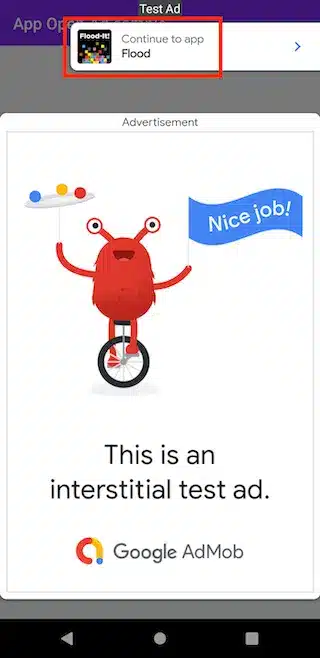
App Open Ads are a premium format designed to serve a clean, full-screen ad when a user boots up or switches back to your game. Because they trigger during loading sequences, they monetize down-time without interrupting active gameplay.
The Right Way to Do It:
- The Cold Start Rule: Only show an App Open Ad if your loading screen actually takes more than a couple of seconds. If your game assets load instantly, showing an ad right away will just feel like a roadblock.
- Respect the Session Split: Do not trigger an App Open Ad every single time a player minimizes the game for a split second to reply to a text message. Implement a time-out cooldown (e.g., only trigger the ad if the app has been backgrounded for at least 5 to 10 minutes).
- Clear Loading Context: Always display your custom loading bar or logo beneath the ad framework so players know your game is actively starting up behind the scenes.
2. Rewarded Video Ads: The Value Exchange Model
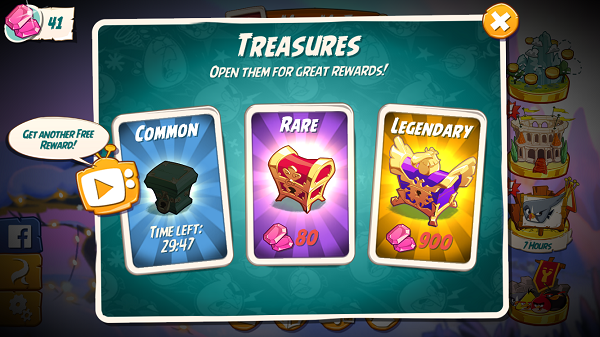
Rewarded ads are the undisputed king of mobile monetization. Because they are 100% opt-in, players never feel forced to watch them. Instead, they choose to trade 30 seconds of their time for high-value in-game assets.
Best Placement Strategies:
- The “Double Rewards” Prompt: Place a clean toggle button on your game-over or level-completion screen. If a player earns 50 coins during a run, offer them a rewarded video to instantly double it to 100.
- The Second Chance Salvage: If a player dies right before reaching a high score or finishing a tough level, give them an explicit choice: “Watch an ad to revive with full health.” Limit this to once per run to keep your gameplay balance intact.
- The Free Daily Booster: Create a section in your main store menu where players can watch a daily capped number of rewarded videos (e.g., max 3 per day) to unlock exclusive items, currency packs, or premium cosmetics.
3. How to Retain Installs (And Avoid Ad Fatigue)
Ad fatigue is the number one reason mobile games lose their active users. To protect your install metrics and grow your player base over time, implement these core retention guardrails:
Set Strict Frequency Caps
Never leave your ad logic unrestricted. Inside your ad network mediation dashboard (like AdMob or AppLovin), configure strict capping limits:
- Interstitials: Limit them to a maximum of one full-screen ad every 2 to 3 minutes.
- Session Capping: Limit the total number of non-rewarded ads a single player can see to a fixed number per day (e.g., maximum 5 interstitials per session).
Never Interrupt the Core Loop
An ad should never appear while the user is actively engaging with your game mechanics.
- ❌ Bad: Triggering an interstitial ad right in the middle of a jump, a race, or a puzzle input.
- Good: Waiting until the level is entirely completed, the score screen has loaded, and the player presses the “Next Level” button.
Introduce Ad-Free Grace Periods
Give your new users time to fall in love with your game before asking them to view advertisements. Consider keeping the first 3 to 5 levels completely ad-free. Once players understand the gameplay loop and find it fun, they will be significantly more tolerant of ad placements later on.
Offer an In-App Purchase Alternative
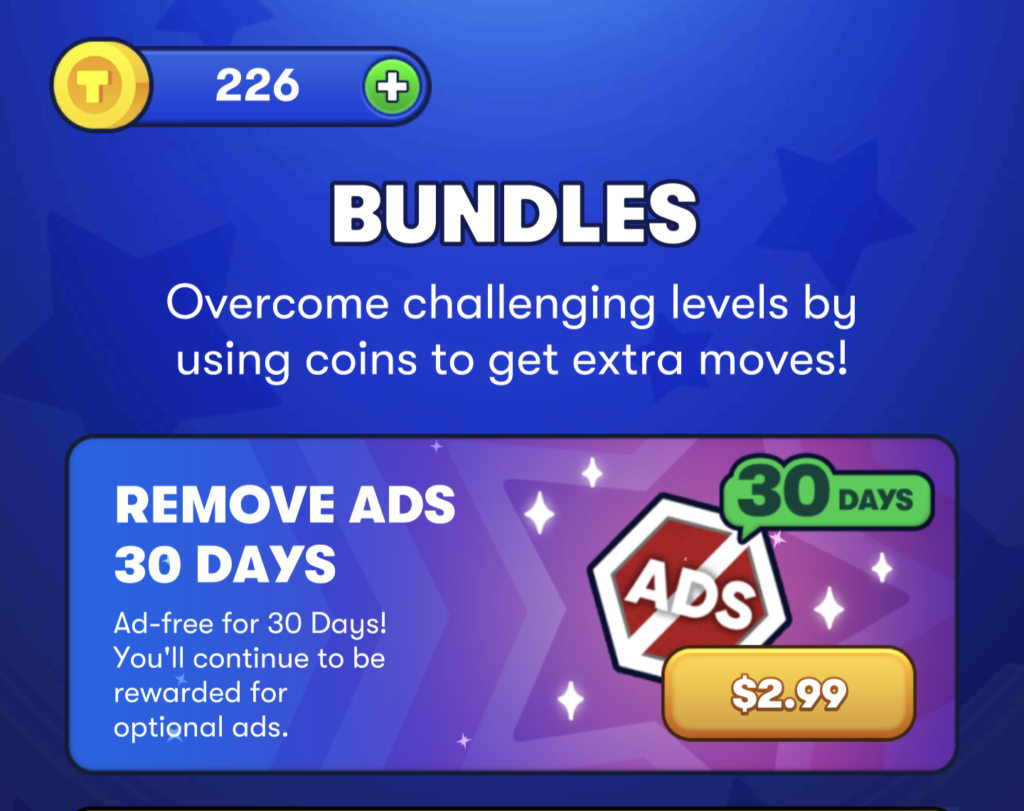
Always give players a way out. Include a cheap “Remove Ads” in-app purchase option in your store interface. This caters directly to premium players who hate ad breaks, turning potential uninstalls into direct digital revenue.
Summary Checklist for Launch
Before hitting publish on the Google Play Store or Apple App Store, test your ad logic against this quick checklist:
- Are my banner ads positioned safely away from core gameplay touch controls to avoid accidental clicks?
- Did I add a cooldown timer between my interstitial transitions?
- Do all my rewarded video triggers correctly award the promised item every single time?
- Is my app open ad capped so it doesn’t spam users who minimize the app frequently?
By putting user experience first and treating ads as a fair trade for content, you will maximize your eCPMs while building a loyal, long-term community!